Getting Started
This page demonstrates an end-to-end workflow with speech signals from CMU ARCTIC:
- Download utterances for two speakers via
torchrir.datasets. - Build 10-second source signals by concatenating random utterances and clipping.
- Simulate static and dynamic RIRs under constrained source-array geometry.
- Save WAV outputs, layout plots, waveform/spectrogram plots, and a dynamic GIF.
All code blocks on this page are sourced from examples/getting_started.py.
The example fixes simulation to CPU so regenerated documentation assets do not
depend on which accelerator is present.
Related browser previews receive one common scale per section and are written
as PCM16 for broad browser support. Library WAV output otherwise defaults to
FLOAT when no subtype is specified.
Install
Use Python 3.11.4 through 3.13. The patch-level floor provides the standard-library archive extraction security filter used by dataset loaders; Python 3.14 is not yet supported.
pip install "torchrir[audio,viz,datasets]"
0) Common Setup (Dataset + Geometry Constraints)
torch.manual_seed(42)
rng = random.Random(42)
out_dir = Path("docs/assets/getting-started")
out_dir.mkdir(parents=True, exist_ok=True)


def save_browser_audio_group(audio_by_name: dict[str, torch.Tensor], fs: int) -> None:
    """Apply one scale and save browser-compatible PCM previews."""

    group_peak = max(
        float(audio.detach().abs().max()) for audio in audio_by_name.values()
    )
    scale = min(1.0, 0.99 / group_peak) if group_peak > 0.0 else 1.0
    for name, audio in audio_by_name.items():
        save_wav(out_dir / name, audio * scale, fs, subtype="PCM_16")


# Download CMU ARCTIC data as needed and load two unique speakers.
dataset_root = Path("datasets/cmu_arctic")
signals, fs, source_info = load_dataset_sources(
    dataset_factory=lambda spk: CmuArcticDataset(
        dataset_root, speaker=spk, download=True
    ),
    speakers=cmu_arctic_speakers(),
    num_sources=2,
    duration_s=10.0,  # concatenate random utterances until >=10 s, then clip to 10 s
    rng=rng,
)
print("Selected speakers:", [speaker for speaker, _ in source_info])
print("Loaded original signal shape:", tuple(signals.shape))  # (2, fs * 10)

room = Room.shoebox(size=[8.0, 6.0, 3.0], fs=fs, beta=[0.9] * 6)

# Use a slightly jittered room-center position for the mic array to avoid
# exact-center artifacts in symmetric setups.
room_center = (room.size / 2.0).to(torch.float32)
mic_jitter = torch.tensor(
    [
        rng.uniform(-0.03, 0.03),
        rng.uniform(-0.03, 0.03),
        rng.uniform(-0.01, 0.01),
    ],
    dtype=torch.float32,
)
mic_center = room_center + mic_jitter
mic_pos = arrays.binaural_array(mic_center, offset=0.10)  # 20 cm spacing
mics = MicrophoneArray.from_positions(mic_pos)

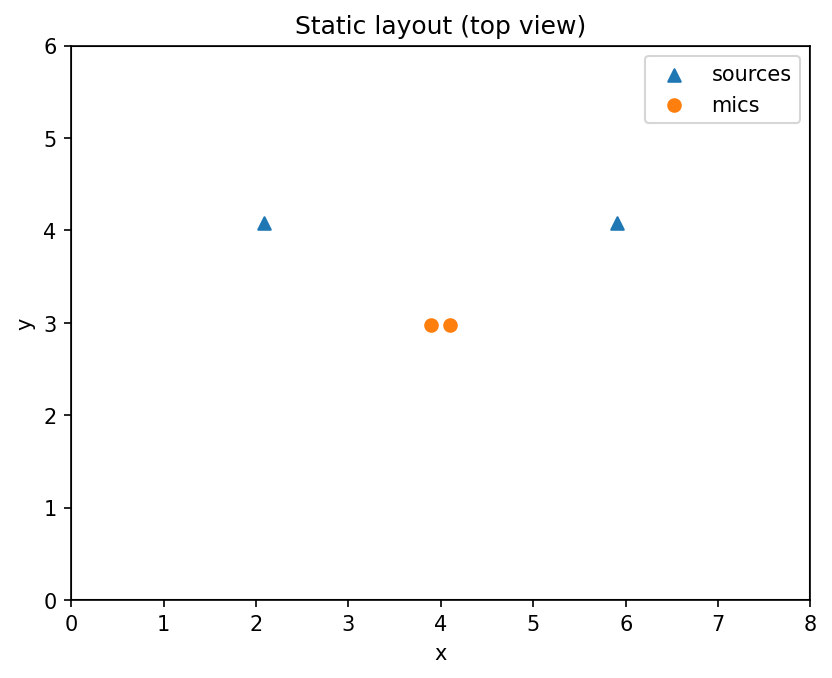
# Place two sources at radius >= 2 m from array center with >= 30 deg separation.
source_radius = 2.2
source_angles_deg = [30.0, 150.0]
src_pos = []
for deg in source_angles_deg:
    theta = math.radians(deg)
    src_pos.append(
        [
            mic_center[0].item() + source_radius * math.cos(theta),
            mic_center[1].item() + source_radius * math.sin(theta),
            1.5,
        ]
    )
src_pos = torch.tensor(src_pos, dtype=torch.float32)

relative_xy = src_pos[:, :2] - mic_center[:2]
radii = torch.linalg.norm(relative_xy, dim=1)
angle_gap = abs(source_angles_deg[1] - source_angles_deg[0])
assert bool(torch.all(radii >= 2.0))
assert angle_gap >= 30.0

sources_static = Source.from_positions(src_pos)
1) Static RIR + Convolution + Plots
# Documentation assets are generated on CPU for reproducible output.
device = "cpu"

static_scene = StaticScene(room=room, sources=sources_static, mics=mics)
static_result = simulate(
    static_scene,
    SimulationConfig(max_order=6, tmax=0.4, device=device),
)
rirs_static = static_result.rirs
print("Static RIR shape:", tuple(rirs_static.shape))  # (n_src, n_mic, rir_len)

original_static = signals.to(rirs_static.device, dtype=rirs_static.dtype)
convolved_static = convolve_rir(original_static, rirs_static)
print(
    "Static convolved shape:", tuple(convolved_static.shape)
)  # (n_mic, n_samples + rir_len - 1)

# Keep one physical scale across related previews and use PCM for browsers.
save_browser_audio_group(
    {
        "static_original_src01.wav": signals[0],
        "static_original_src02.wav": signals[1],
        "static_convolved.wav": convolved_static,
    },
    fs,
)

# Save static layout image (no animation in static mode).
ax = plot_scene_static(
    room=room.size[:2],
    sources=sources_static.positions[:, :2],
    mics=mics.positions[:, :2],
    title="Static layout (top view)",
)
ax.figure.savefig(out_dir / "layout_static.png", dpi=150, bbox_inches="tight")
plt.close(ax.figure)

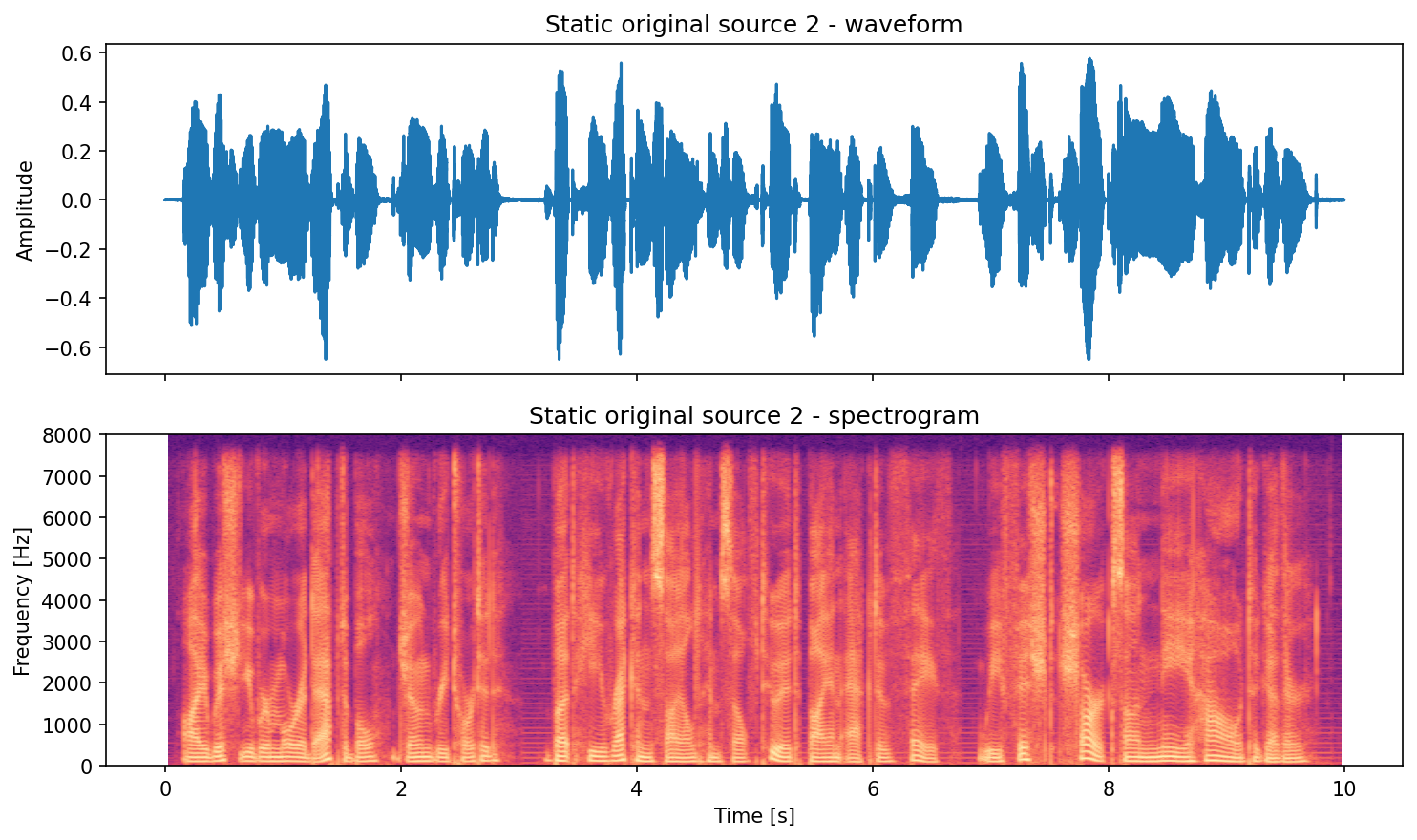
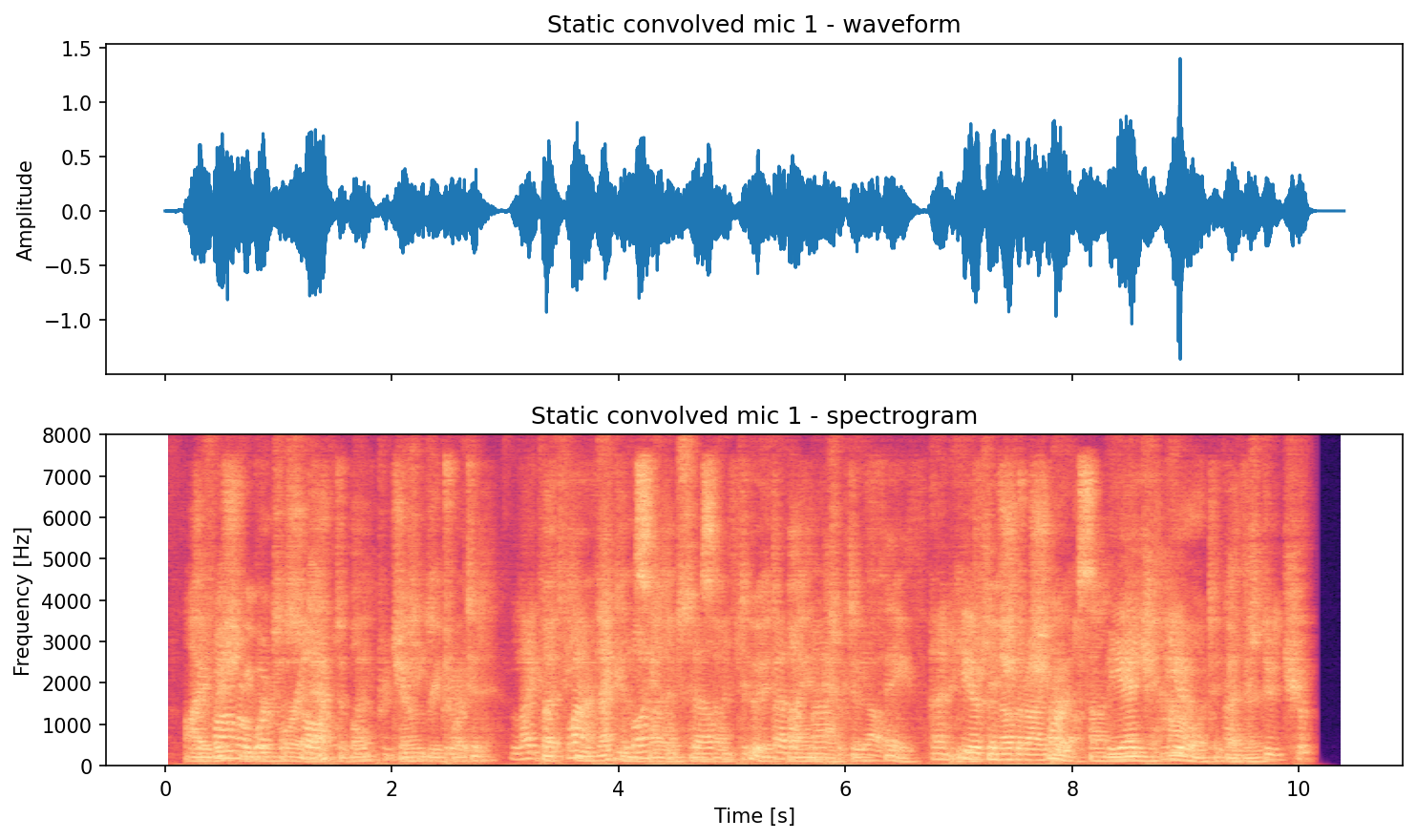
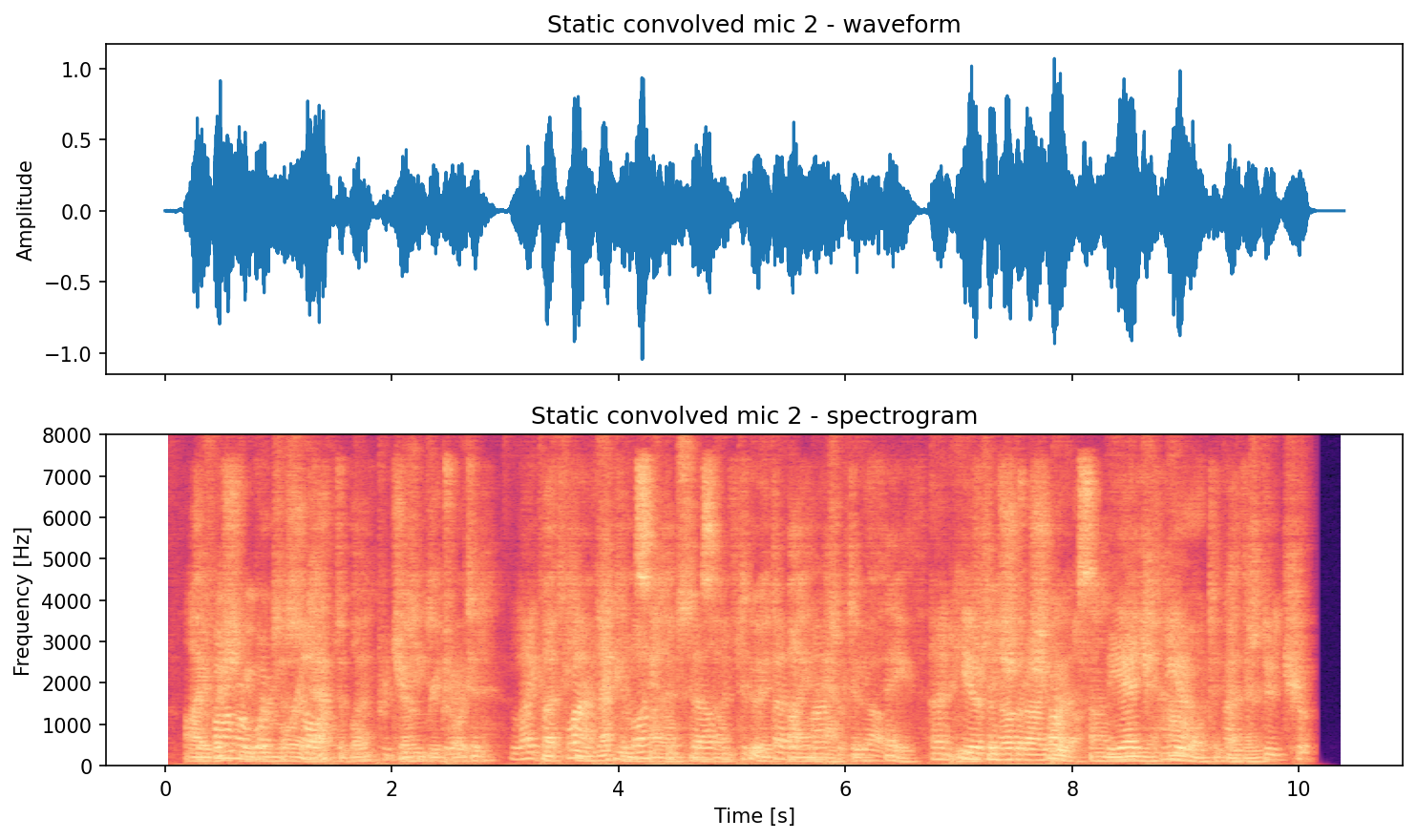
# Save waveform+spectrogram pair plots (seconds on the x-axis).
save_waveform_spectrogram_pair(
    signal=signals[0],
    fs=fs,
    out_path=out_dir / "static_original_src01_pair.png",
    title="Static original source 1",
)
save_waveform_spectrogram_pair(
    signal=signals[1],
    fs=fs,
    out_path=out_dir / "static_original_src02_pair.png",
    title="Static original source 2",
)
save_waveform_spectrogram_pair(
    signal=convolved_static[0],
    fs=fs,
    out_path=out_dir / "static_convolved_mic1_pair.png",
    title="Static convolved mic 1",
)
save_waveform_spectrogram_pair(
    signal=convolved_static[1],
    fs=fs,
    out_path=out_dir / "static_convolved_mic2_pair.png",
    title="Static convolved mic 2",
)
Static preview (generated by running the code above):
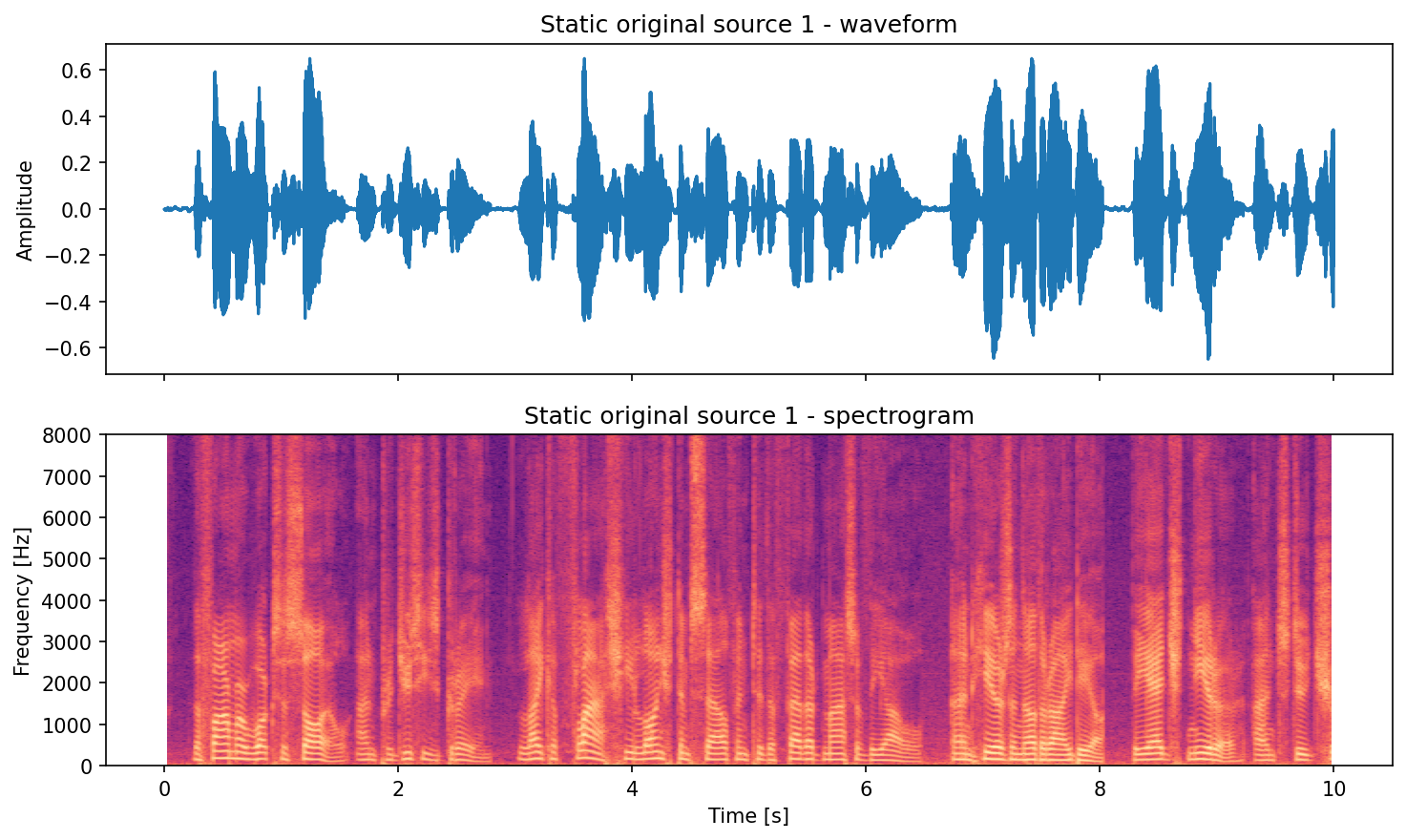
Source 1 (original):
Source 2 (original):
Mic mixture (convolved):
2) Dynamic RIR + Emission-Time Convolution + Animation
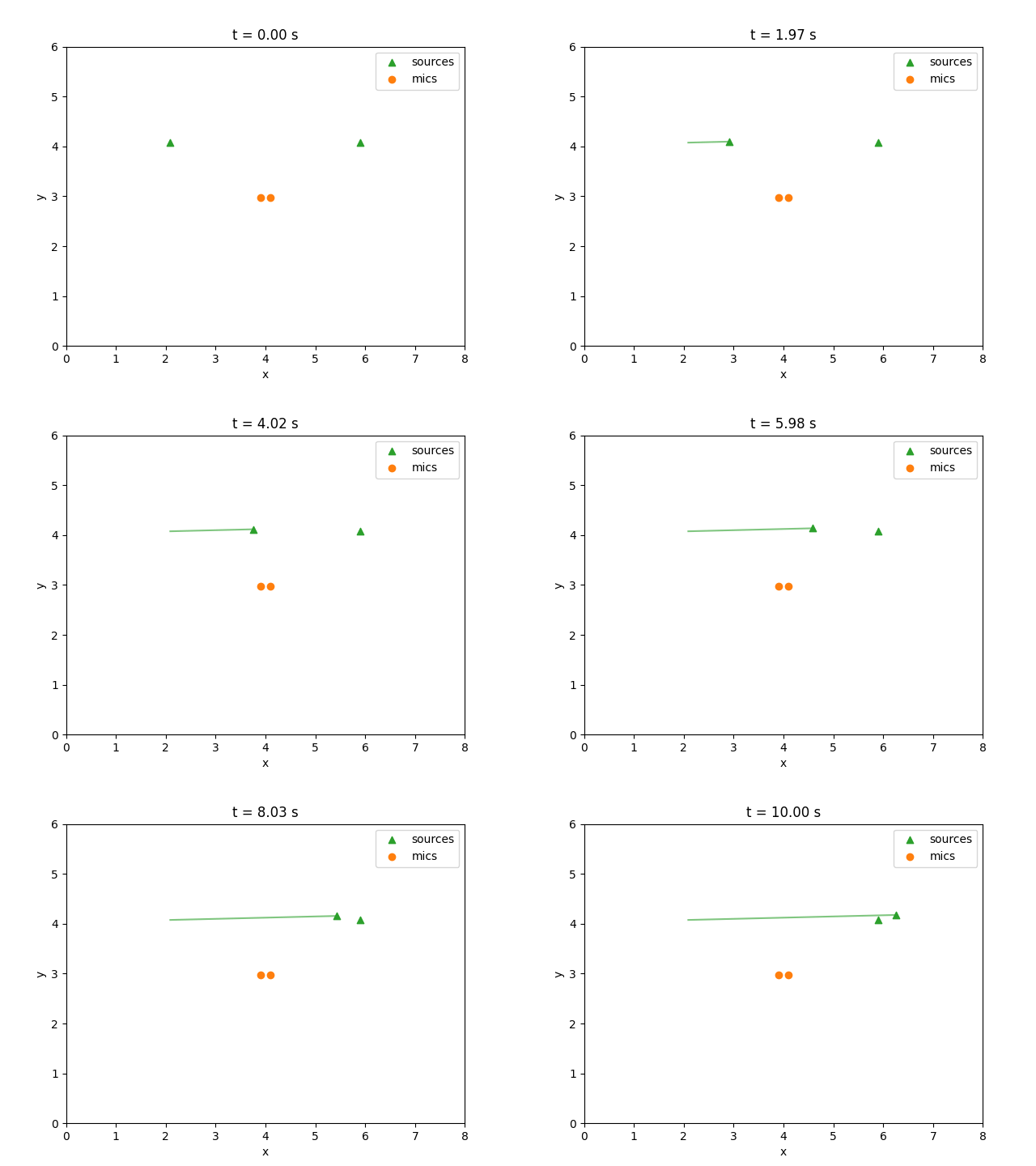
This example moves one source while keeping the microphones fixed, so it uses
DynamicConvolver(time_reference="emission"). Each RIR frame starts at an
input-time boundary: samples emitted during that interval use the corresponding
source geometry, and their convolution tails continue beyond the interval. The
example constructs FrameSchedule.uniform(...) explicitly from the signal
length and RIR frame count. It then derives trajectory progress from the exact
integer starts with schedule.normalized_progress(...); frame i is evaluated
at starts[i] / signal_length, rather than on a separate endpoint-inclusive
grid. The nominal endpoint is not an RIR frame, so the final sampled geometry
remains active through the last interval. The schedule is attached to
DynamicScene.schedule, and the result supplies it to DynamicConvolver. No
seconds-domain timestamp round trip is involved.
steps = 128
dynamic_schedule = FrameSchedule.uniform(
    frame_count=steps,
    stop_sample=signals.shape[-1],
)
dynamic_progress = dynamic_schedule.normalized_progress(
    stop_sample=signals.shape[-1],
    dtype=src_pos.dtype,
    device=src_pos.device,
)

# Source 1 stays fixed; source 2 moves toward source 1.
src0 = src_pos[0].unsqueeze(0).repeat(steps, 1)  # (T, 3)
src1_start = src_pos[1]
src1_end = src_pos[0] + torch.tensor([0.35, 0.10, 0.0], dtype=torch.float32)
src1 = linear_trajectory(
    src1_start,
    src1_end,
    progress=dynamic_progress,
)

src_traj = torch.stack([src0, src1], dim=1)  # (T, 2, 3)
mic_traj = mics.positions.unsqueeze(0).repeat(steps, 1, 1)  # (T, n_mic, 3)
sources_dynamic = Source.from_positions(src_traj[0])

dist_start = torch.linalg.norm(src_traj[0, 1] - src_traj[0, 0]).item()
dist_end = torch.linalg.norm(src_traj[-1, 1] - src_traj[-1, 0]).item()
assert dist_end < dist_start

dynamic_scene = DynamicScene(
    room=room,
    sources=sources_dynamic,
    mics=mics,
    src_traj=src_traj,
    mic_traj=mic_traj,
    schedule=dynamic_schedule,
)
dynamic_result = simulate(
    dynamic_scene,
    SimulationConfig(max_order=6, tmax=0.4, device=device),
)
rirs_dynamic = dynamic_result.rirs
print("Dynamic RIR shape:", tuple(rirs_dynamic.shape))  # (T, n_src, n_mic, rir_len)

original_dynamic = signals.to(rirs_dynamic.device, dtype=rirs_dynamic.dtype)
convolved_dynamic = DynamicConvolver(time_reference="emission").convolve(
    original_dynamic, dynamic_result
)
print(
    "Dynamic convolved shape:", tuple(convolved_dynamic.shape)
)  # (n_mic, n_samples + rir_len - 1)

# Keep one physical scale across related previews and use PCM for browsers.
save_browser_audio_group(
    {
        "dynamic_original_src01.wav": signals[0],
        "dynamic_original_src02.wav": signals[1],
        "dynamic_convolved.wav": convolved_dynamic,
    },
    fs,
)

# Save dynamic layout animation.
animate_scene_gif(
    out_path=out_dir / "layout_dynamic.gif",
    room=room.size,
    sources=sources_dynamic,
    mics=mics,
    src_traj=src_traj,
    mic_traj=mic_traj,
    signal_len=signals.shape[1],
    fs=fs,
)

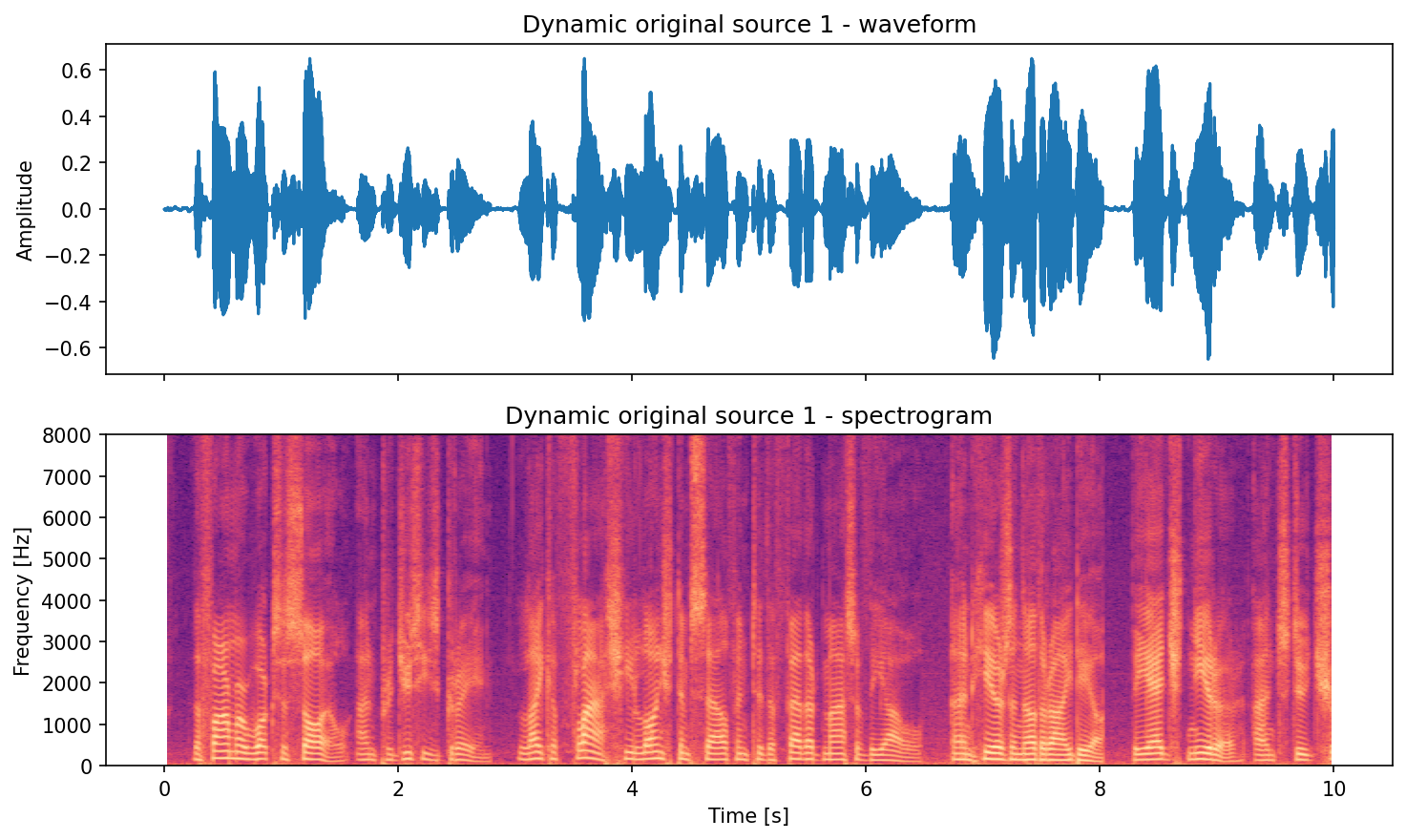
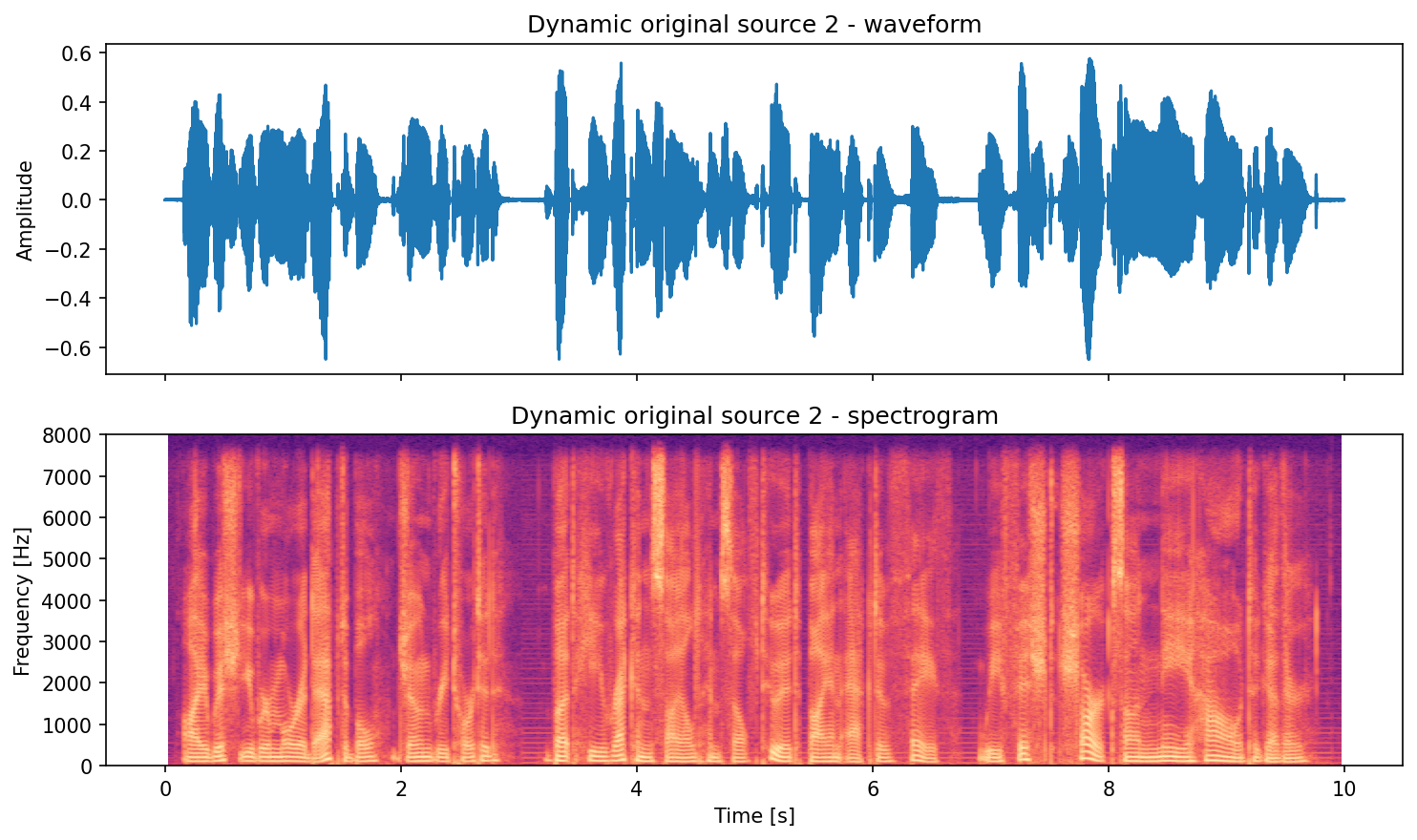
# Save waveform+spectrogram pair plots (seconds on the x-axis).
save_waveform_spectrogram_pair(
    signal=signals[0],
    fs=fs,
    out_path=out_dir / "dynamic_original_src01_pair.png",
    title="Dynamic original source 1",
)
save_waveform_spectrogram_pair(
    signal=signals[1],
    fs=fs,
    out_path=out_dir / "dynamic_original_src02_pair.png",
    title="Dynamic original source 2",
)
save_waveform_spectrogram_pair(
    signal=convolved_dynamic[0],
    fs=fs,
    out_path=out_dir / "dynamic_convolved_mic1_pair.png",
    title="Dynamic convolved mic 1",
)
save_waveform_spectrogram_pair(
    signal=convolved_dynamic[1],
    fs=fs,
    out_path=out_dir / "dynamic_convolved_mic2_pair.png",
    title="Dynamic convolved mic 2",
)
Dynamic preview (generated by running the code above):
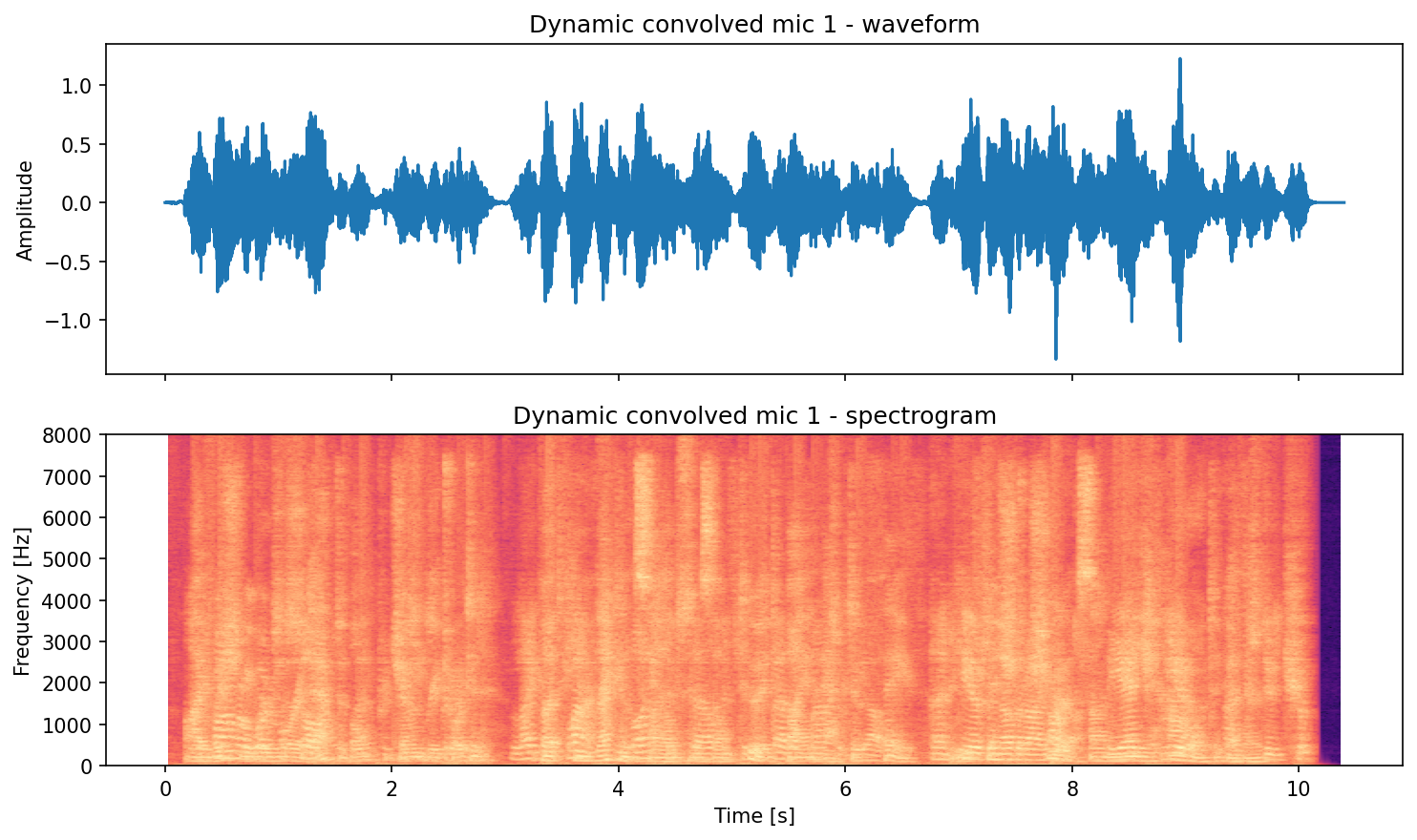
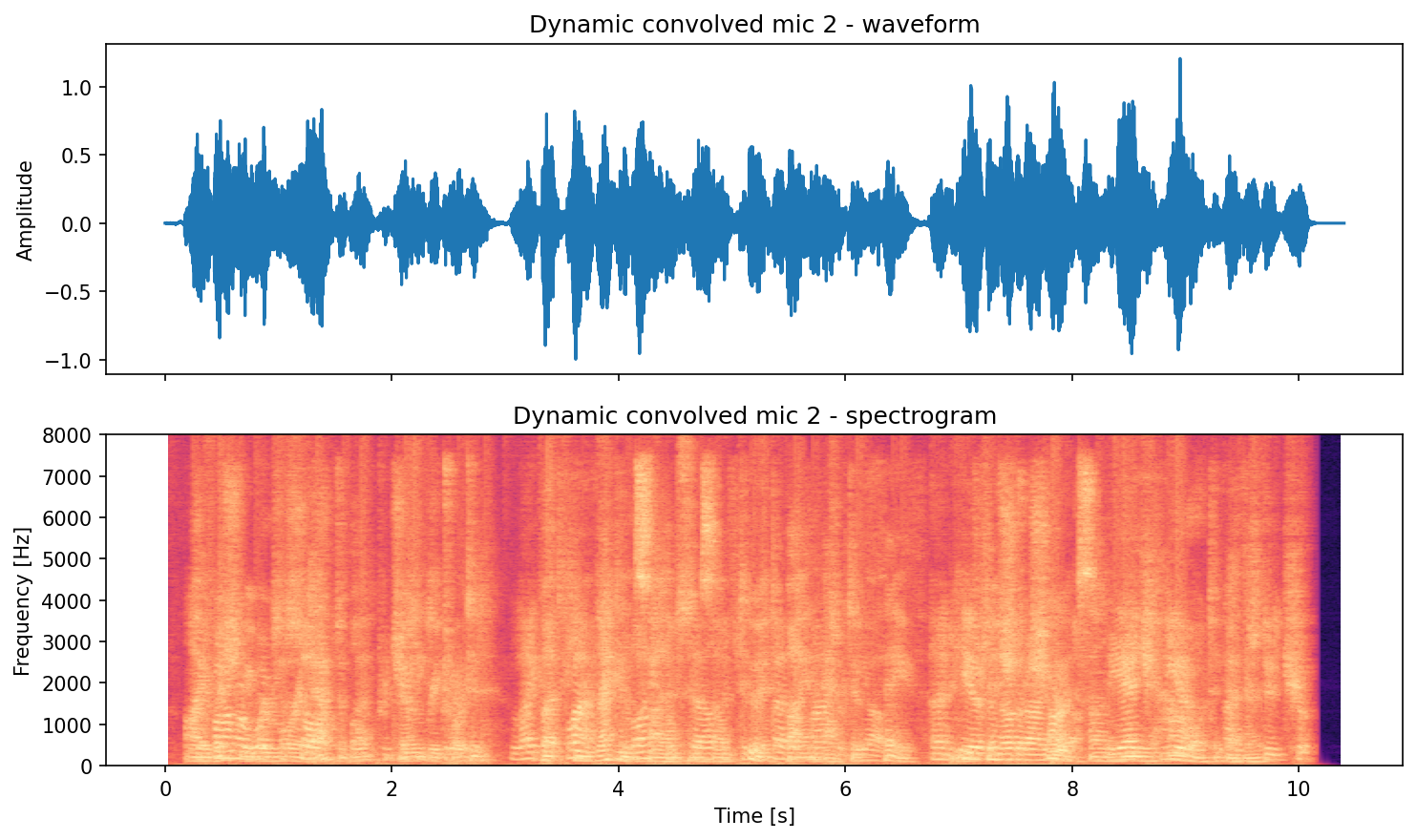
Source 1 (original):
Source 2 (original):
Mic mixture (convolved):
For fixed sources and moving microphones, use
DynamicConvolver(time_reference="observation") instead. Its frame boundaries
apply to output time, may continue after the dry signal ends, and the final
frame remains active through the convolution tail.
See Dynamic convolution time conventions
for the equations, schedule rules, raw-tensor caveat, and simultaneous-motion
limitation.
Note
The first dataset download can take time and requires network access.
GIF generation requires Pillow through Matplotlib's animation writer.
The checked-in tutorial uses device="cpu" for reproducible assets. Change
it to "auto" when you intentionally want local accelerator selection.
Next Steps
- See Examples for CLI workflows and dataset generation scripts.
- See the Changelog for released behavior changes.
- See API documentation for all options and full signatures.